
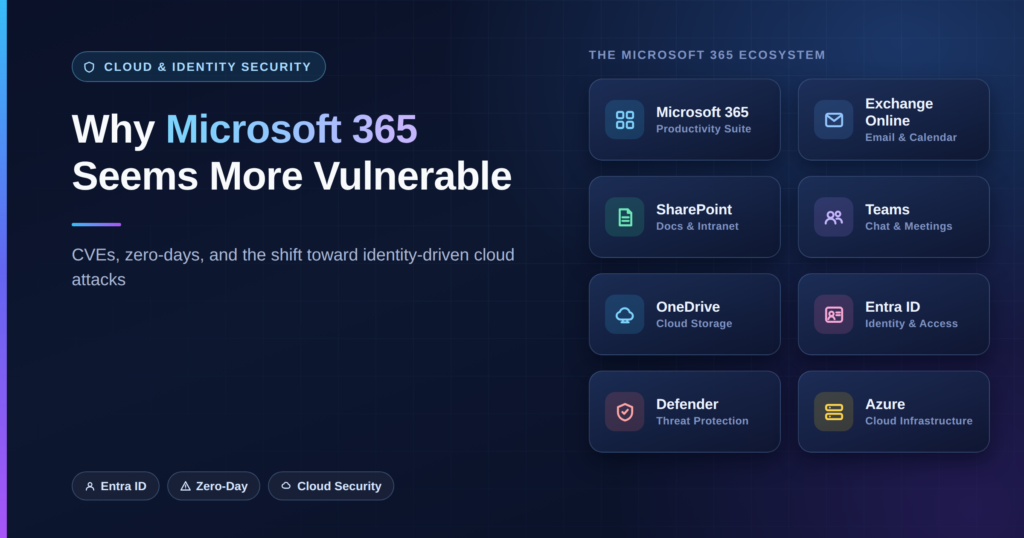
If you work in cybersecurity, IT, or enterprise infrastructure, you may have noticed something concerning: Microsoft products seem to be appearing in security advisories almost every day.
Microsoft 365, Exchange Online, Outlook, SharePoint, Teams, Entra ID, Azure and other Microsoft services are frequently mentioned in vulnerability disclosures, security research and threat intelligence reports.
This naturally raises an important question:
Is Microsoft becoming less secure, or are we simply seeing more vulnerabilities because Microsoft’s ecosystem has become so large and complex?
The answer is more complicated than simply counting CVEs.
Microsoft’s modern ecosystem has an enormous attack surface, billions of users and devices, thousands of interconnected services, and an increasingly complex identity and cloud architecture. At the same time, security researchers and threat actors have become significantly better at discovering and exploiting weaknesses.
This combination makes Microsoft one of the most visible targets in today’s cybersecurity landscape.
Microsoft 365 Is No Longer Just Office
When people hear “Microsoft Office,” they may think about Word, Excel, PowerPoint and Outlook.
Microsoft 365 today is much more than that.
A typical enterprise Microsoft environment may involve:
- Microsoft 365
- Exchange Online
- SharePoint Online
- OneDrive
- Microsoft Teams
- Microsoft Entra ID
- Microsoft Intune
- Microsoft Defender
- Power Platform
- Azure
- Microsoft Copilot
- OAuth applications
- Service principals
- Conditional Access
- Privileged Identity Management
These services are interconnected through identity, APIs, permissions, tokens and cloud control planes.
That interconnectedness provides enormous productivity benefits, but it also creates a much larger security boundary.
A compromise of one identity or application can potentially provide a path toward multiple services.
Why Do We Hear About So Many Microsoft CVEs?
One reason is simple: Microsoft is an enormous target.
Microsoft software is deployed across governments, banks, healthcare organizations, universities, technology companies and small businesses around the world.
A vulnerability affecting a widely deployed Microsoft product can potentially impact a huge number of organizations.
That makes Microsoft products extremely attractive targets for:
- Security researchers
- Bug bounty researchers
- Commercial security companies
- Threat actors
- Nation-state groups
- Vulnerability brokers
- Offensive-security researchers
More researchers looking at Microsoft’s products means more vulnerabilities are likely to be discovered and reported.
Therefore, a growing number of CVEs does not automatically prove that Microsoft software is becoming less secure.
Microsoft maintains its official vulnerability database through the Microsoft Security Response Center (MSRC). You can check Microsoft’s current security advisories and vulnerabilities here: https://msrc.microsoft.com/update-guide
CVE Does Not Automatically Mean Zero-Day
Another important distinction is the difference between a CVE and a zero-day vulnerability.
A CVE is an identifier assigned to a publicly documented security vulnerability.
A zero-day generally refers to a vulnerability that is unknown to the vendor or has been exploited before a security fix is available.
These are not the same thing.
For example:
Known vulnerability + security patch available = not necessarily a zero-day.
Previously unknown vulnerability actively exploited before an effective fix is available = zero-day scenario.
This distinction is important because cybersecurity headlines sometimes use the terms “CVE,” “exploit” and “zero-day” interchangeably even though they describe different stages of the vulnerability lifecycle.
The Bigger Microsoft 365 Problem May Not Be CVEs
Perhaps the most important change in Microsoft security is that attackers don’t always need to exploit a software vulnerability.
Modern Microsoft 365 attacks increasingly involve identity compromise.
Instead of exploiting a server, an attacker may attempt to obtain:
- User credentials
- Session cookies
- Authentication tokens
- OAuth permissions
- Application credentials
- Service-principal credentials
- Privileged accounts
Once an attacker has legitimate access, the attack can look very different from a traditional software exploit.
There may be no obvious malware.
There may be no buffer overflow.
There may be no Remote Code Execution vulnerability.
The attacker may simply be using legitimate Microsoft services with compromised credentials or tokens.
This is one of the biggest changes in enterprise cybersecurity.
Microsoft’s Digital Defense Report 2025 provides extensive analysis of the growing importance of identity and cloud-based attacks.
“The Attacker Is Logging In”
Traditional attacks often looked something like this:
Internet
   ↓
Vulnerable Server
   ↓
Exploit
   ↓
Code Execution
   ↓
Persistence
Modern cloud attacks can look more like this:
Phishing / Credential Theft
          ↓
    Compromised Identity
          ↓
      Entra ID
          ↓
   Valid Authentication
          ↓
 ┌────────┼─────────┐
 ↓        ↓         ↓
Email  SharePoint  OneDrive
 ↓        ↓         ↓
Data     Files    Collaboration
The attacker isn’t necessarily “breaking into” the infrastructure in the traditional sense.
They may already possess something that the infrastructure considers legitimate.
This is why identity security has become such a critical part of Microsoft 365 security.
The Rise of Token and Session Theft
Passwords are no longer the only credentials that defenders need to protect.
Modern authentication systems rely heavily on tokens and sessions.
An attacker who obtains a valid session token may be able to operate without knowing the user’s password.
This creates challenges for traditional security models.
For example:
Password
   ↓
MFA
   ↓
Authentication
   ↓
Session / Token
   ↓
Microsoft 365 Services
If an attacker steals the session or token after authentication, simply saying “MFA is enabled” may not tell the entire security story.
This is one reason phishing-resistant authentication, Conditional Access, device security and session controls have become increasingly important.
OAuth and Application Permissions Add Another Layer
Microsoft 365 is also heavily dependent on applications communicating through APIs.
Organizations frequently connect third-party applications to Microsoft 365.
For example:
User
 ↓
Microsoft Entra ID
 ↓
OAuth Consent
 ↓
Third-Party Application
 ↓
Microsoft Graph / Microsoft 365 APIs
If an attacker convinces a user or administrator to authorize a malicious application, the attacker may be able to obtain access through legitimate API mechanisms.
This means organizations need to think about application permissions and OAuth consent, not just user passwords.
Security teams should understand:
- Which applications are registered?
- Which applications have access to Microsoft Graph?
- Who can grant consent?
- Which applications have high-privilege permissions?
- Are unused applications being removed?
- Are service principals being monitored?
- Are administrators reviewing unusual consent activity?
Microsoft 365 Configuration Can Be as Important as Vulnerability Management
A fully patched tenant can still be compromised because of poor configuration.
For example, an organization might have:
- Excessive administrative privileges
- Weak Conditional Access policies
- Legacy authentication enabled
- Excessive OAuth permissions
- Poorly protected service accounts
- Insufficient monitoring
- Weak privileged-account controls
- Inadequate device compliance policies
- Poorly configured external sharing
- Inadequate logging
This creates an important security principle:
Patching protects against known software vulnerabilities, but it does not automatically protect an organization from identity and configuration attacks.
Why Cloud Complexity Makes Security Harder
Traditional infrastructure was relatively straightforward.
An organization might have had:
Internet
   ↓
Firewall
   ↓
DMZ
   ↓
Web Servers
   ↓
Application Servers
   ↓
Database
Modern cloud environments can look more like:
                    Entra ID
                       │
       ┌───────────────┼────────────────┐
       ↓               ↓                ↓
 Microsoft 365       Azure          SaaS Apps
       │               │                │
 ┌─────┼─────┐    ┌────┼─────┐          │
 ↓     ↓     ↓    ↓    ↓     ↓          ↓
Mail  Files Teams VMs Storage APIs    OAuth
There are more identities, APIs, permissions, applications, tokens and trust relationships.
Every additional integration can introduce another security dependency.
Attackers Are Also Getting Better
Cybercriminals are not relying exclusively on sophisticated zero-days.
In many cases, attackers combine relatively simple techniques.
For example:
Phishing
   +
Credential Theft
   +
MFA Bypass / Token Theft
   +
Valid Account
   +
Cloud Permissions
   =
Major Breach
None of those individual components necessarily requires a zero-day.
The attacker simply needs to find the weakest part of the chain.
This is why organizations should avoid focusing exclusively on the latest Microsoft CVE.
Does More CVEs Mean Microsoft Is Getting Worse?
Not necessarily.
CVE counts alone are a poor way to measure the overall security of a technology ecosystem.
Several things can increase the number of disclosed vulnerabilities:
- More security researchers
- Better automated vulnerability discovery
- More extensive security testing
- Larger software ecosystems
- Greater transparency
- More vulnerability reporting
- Increased attacker interest
- More interconnected services
At the same time, individual vulnerabilities can still be extremely serious.
The correct question isn’t simply:
“How many CVEs did Microsoft have?”
A better set of questions is:
How severe are the vulnerabilities?
Are they being actively exploited?
How quickly are patches or mitigations available?
How quickly are organizations applying them?
What privileges are required to exploit them?
Can the vulnerability be chained with another weakness?
These factors provide much more useful security information than CVE volume alone.
The Microsoft Security Problem Is Becoming an Identity Problem
For many organizations, the security boundary has moved.
It used to be:
Protect the server.
Then:
Protect the endpoint.
Now it increasingly includes:
Protect the identity, token, application, device and cloud control plane.
That doesn’t mean traditional vulnerabilities have disappeared.
Exchange, Windows, Office, browsers, VPNs and other products will continue to have security vulnerabilities.
But modern attackers have another option:
Use legitimate access instead of exploiting the software.
This makes identity security one of the most important components of a modern Microsoft 365 security strategy.
What Should Organizations Do?
Organizations using Microsoft 365 should take a layered approach.
1. Keep Microsoft products patched
Patch management remains fundamental.
Organizations should monitor Microsoft’s security advisories and prioritize vulnerabilities based on severity, exploitability and evidence of active exploitation.
2. Use phishing-resistant MFA
MFA is important, but not all MFA methods provide the same resistance to modern phishing attacks.
Organizations handling sensitive information should consider phishing-resistant authentication methods such as FIDO2 security keys or passkeys where appropriate.
3. Harden Microsoft Entra ID
Identity should be treated as a primary security boundary.
Security teams should review:
- Privileged accounts
- Conditional Access
- Authentication methods
- Risk-based policies
- Guest accounts
- Service principals
- Application registrations
- OAuth permissions
4. Control OAuth applications
Don’t allow every user to freely authorize arbitrary applications.
Organizations should establish governance around application consent and regularly review applications with sensitive permissions.
5. Reduce administrative privileges
Follow the principle of least privilege.
Administrators should have only the permissions they need, preferably only for the time they need them.
Privileged Identity Management can help organizations reduce standing administrative access.
6. Monitor identity behavior
Security monitoring should look beyond endpoint malware.
Important signals can include:
- Impossible or unusual travel
- New authentication locations
- Unusual device registrations
- Suspicious OAuth consent
- Abnormal mailbox activity
- Unusual SharePoint downloads
- Privileged role activation
- New application credentials
- Suspicious token activity
7. Don’t ignore legacy authentication
Legacy authentication protocols can weaken modern authentication controls.
Organizations should identify and eliminate legacy authentication where possible.
8. Protect service accounts and workload identities
Human accounts aren’t the only identities that matter.
Applications, service principals, automation accounts and workloads can have significant permissions.
These identities need lifecycle management, monitoring and least-privilege controls too.
Final Thoughts
Microsoft 365 security is becoming more complicated because Microsoft 365 itself is becoming more complicated.
The ecosystem has evolved from a collection of productivity applications into a massive cloud platform connecting identities, devices, applications, APIs, data and infrastructure.
That creates an enormous attack surface.
Yes, Microsoft will continue to disclose CVEs.
Yes, serious vulnerabilities and zero-days will continue to appear.
But the bigger lesson for security professionals is that Microsoft 365 security cannot be reduced to patching CVEs.
A modern security strategy needs to protect the entire chain:
Identity
   ↓
Authentication
   ↓
Device
   ↓
Token / Session
   ↓
Application
   ↓
API
   ↓
Data
   ↓
Cloud Infrastructure
The organization that only watches for CVEs may miss the attacker who simply logs in with a stolen identity.
The future of Microsoft 365 security is therefore not just about vulnerability management.
It is about identity security, cloud security, application security, least privilege, continuous monitoring and rapid incident response.
And that is perhaps the most important reason Microsoft 365 security feels so different today: the attack surface has moved far beyond the traditional software vulnerability.
References and Further Reading
Microsoft Digital Defense Report 2025
Microsoft’s annual report covering cybercrime, cloud security, identity attacks, ransomware and the evolving threat landscape.
Microsoft Security Update Guide (MSRC)
Official Microsoft source for security vulnerabilities and security updates affecting Microsoft products and services.
https://msrc.microsoft.com/update-guide
CISA Known Exploited Vulnerabilities Catalog
The U.S. Cybersecurity and Infrastructure Security Agency’s catalog of vulnerabilities known to have been exploited in the wild.
https://www.cisa.gov/known-exploited-vulnerabilities-catalog
Microsoft Digital Defense Report Archive
Previous editions of Microsoft’s Digital Defense Report for comparing threat trends over time.
Microsoft MSRC — Vulnerability Descriptions and CVSS
Microsoft’s explanation of vulnerability descriptions and CVSS information used in its Security Update Guide.
Microsoft Security Response Center (MSRC)
Microsoft’s central security response and vulnerability disclosure resource.
Don’t Wait Until After a Breach
Security issues discovered after launch are significantly more expensive to fix and can damage investor trust and customer confidence.
Book a free consultation with BugFoe today and get a startup-focused penetration testing plan tailored to your product and architecture.